
Building My First Real Robot With Arduino UNO R3, And What It Taught Me About the Future of Technology
Hi everyone, it’s Abtin again from Grade 11 at Handsworth Secondary!
After learning how to blink LEDs and write basic code for Arduino UNO R3, I wanted to challenge myself with something much bigger.
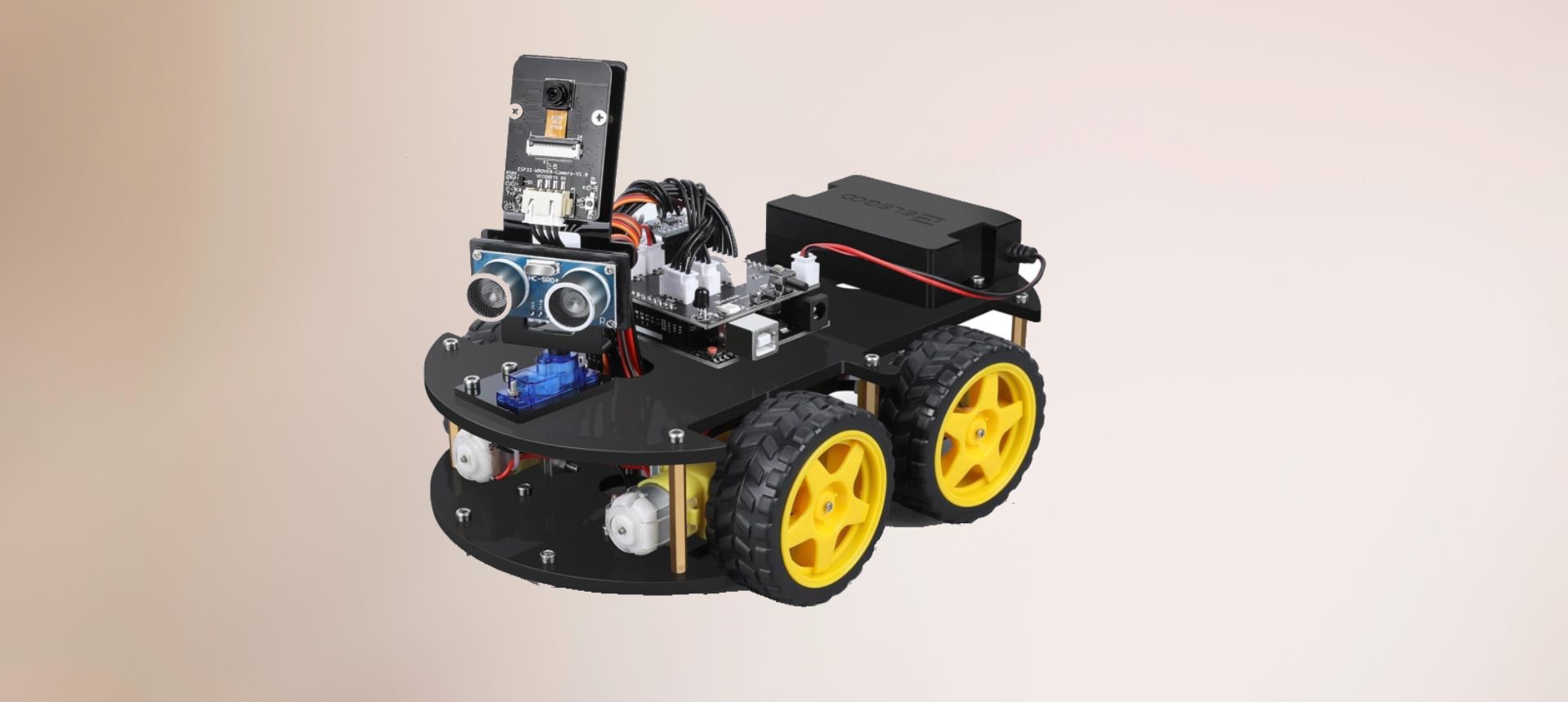
So I decided to build my first real robot, a fully assembled Arduino-powered machine using:
- Arduino UNO R3
- Line Tracking Module
- Ultrasonic Sensor
- IR (Infrared) Camera
- Motor driver + wheels
- Rechargeable battery pack
This wasn’t just a small project.
This was the moment I realized how all the sensors, code, and circuits actually come together to create something that moves, thinks, and reacts.
This robot isn’t just driving around randomly.
It actually understands the world around it using sensors.
1. Line Tracking Module
This sensor detects black or white lines on the ground.
It allows the robot to:
- Follow a track
- Stay inside lanes
- Take automated turns
It works like the sensors self-driving cars use to follow lanes on a smaller scale.
2. Ultrasonic Sensor
This sensor sends out sound waves (you can’t hear them) and measures how long it takes for the waves to bounce back.
This lets the robot:
- Detect obstacles
- Measure distance
- Stop before crashing
- Automatically avoid objects
It felt like giving the robot eyes.
3. IR Camera
This allows the robot to see heat signatures or detect movement using infrared light.
With the IR camera, the robot can:
- Respond to hand gestures
- Detect motion
- Track objects
- Make automatic turns when something enters its field of view
This is where coding felt almost like magic — the robot reacted to things I did in front of it.
How Arduino Controls Everything
The Arduino UNO R3 acts like the brain of the robot.
Here’s the simple idea:
- Sensors read the environment
- Arduino receives the signals
- My code decides what to do next
- Motors move the robot based on those decisions
For example:
If ultrasonic sensor says an object is 10 cm away → stop
If line tracking sensor sees a dark line → turn left or right
If IR camera detects movement → slow down or adjust
This is real engineering, connecting logic, mechanics, and electronics.
What I Learned From Building This Robot
1. Coding controls the real world
This was the first time I wrote code that didn’t just run on a screen it controlled motors, signals, wheels, sensors, everything.
2. Sensors are the “senses” of a robot
Just like humans use eyes, ears, and touch, robots use sensors to understand their surroundings.
I learned:
- How analog and digital signals work
- How to use PWM for motor speed
- How data flows from sensors into the Arduino
3. Engineering takes patience
Sometimes the robot didn’t move straight.
Sometimes a sensor wasn’t reading properly.
Sometimes a wire popped out of the breadboard.
I learned how to troubleshoot, test, adjust, and keep going.
4. Robots are built one small step at a time
A robot isn’t one big project.
It’s many tiny projects combined:
- Coding
- Wiring
- Understanding voltage
- Installing sensors
- Debugging motors
- Testing logic
Every step taught me something new.
The Most Important Lesson
I realized that building robots isn’t just fun
it’s the future.
Everything around us is becoming automated:
- Cars
- Drones
- Smart homes
- Delivery robots
- AI assistants
And starting with an Arduino robot in high school is the perfect way to be part of that future.
What’s Next For Me
Now that I’ve built my first robot, I want to try:
- Adding Bluetooth so I can control it with my phone
- Using machine learning with the camera
- Giving the robot a full 3-mode system:
- Line-following mode
- Obstacle avoidance mode
- Gesture control mode
This project made me excited not just about robotics but about engineering, programming, and designing future technologies.